Azure Virtual Network Micro Segmentation With Secure VWAN Hubs
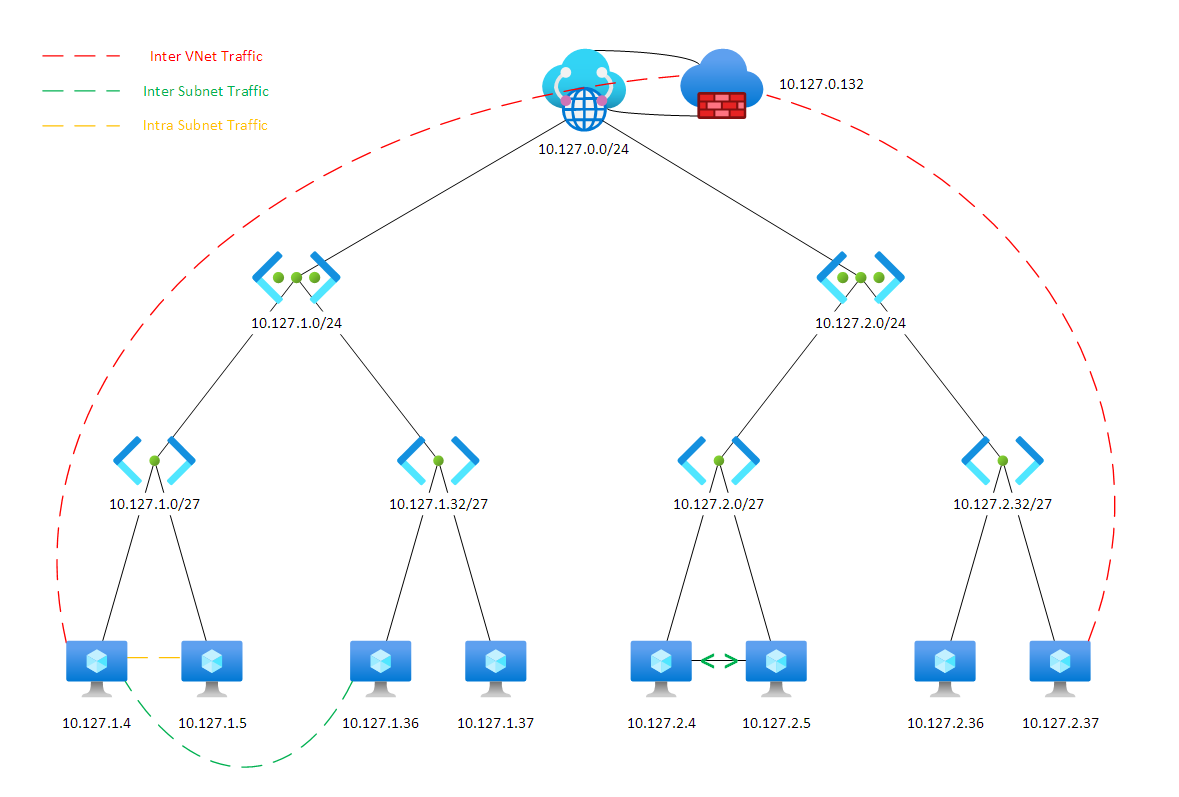
The standard Azure hub-and-spoke topology using Virtual WAN routes spoke-to-spoke traffic through the Azure Firewall, enabling inspection and logging. However, traffic within individual VNets is unrestricted by default — similar to on-premises VLAN behaviour. Micro segmentation addresses this gap.
Why Micro Segment?
With micro segmentation enabled:
- All traffic flows — including intra-VNet — require firewall rules
- IDPS (Intrusion Detection/Prevention System) can inspect every packet
- Lateral movement is prevented; a compromised workload cannot freely reach other resources in the same VNet
The initial configuration effort is higher, but the security posture improvement is significant.
Implementation
Step 1: Create User-Defined Route Tables (UDR)
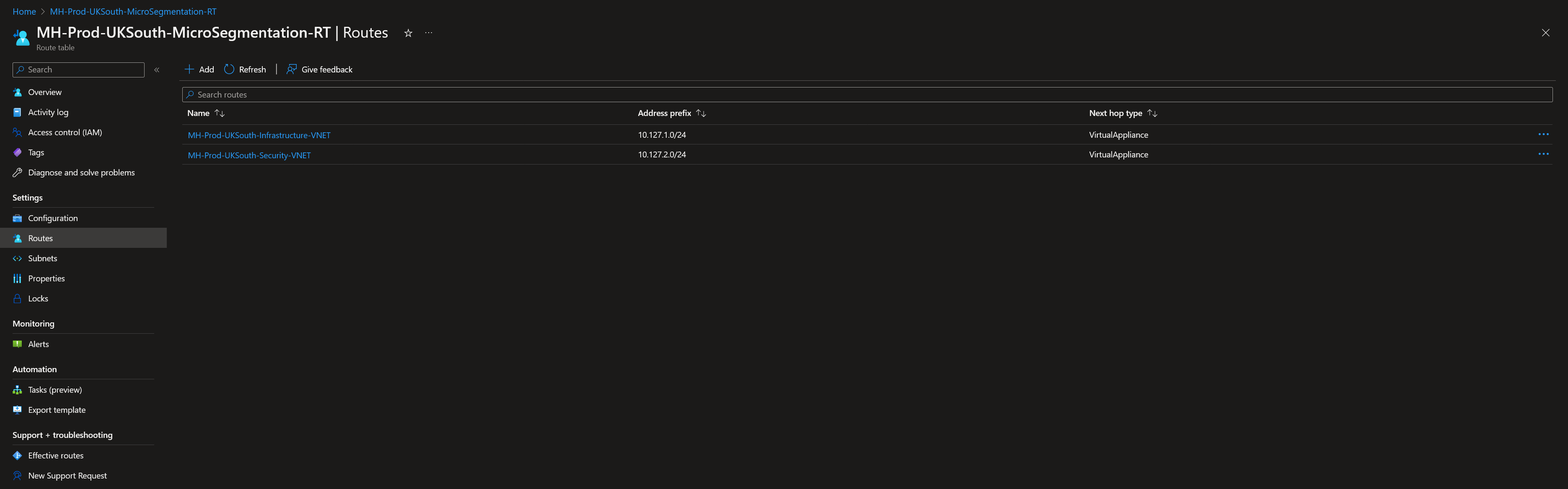
In each region, create UDRs with routes for all VNet address spaces. Set the Azure Firewall private IP as the next hop for each route.
Enable "Propagate gateway routes" so that subnets automatically learn routes advertised from the secure hub (including on-premises prefixes via VPN/ExpressRoute).
Step 2: Apply UDRs to Subnets
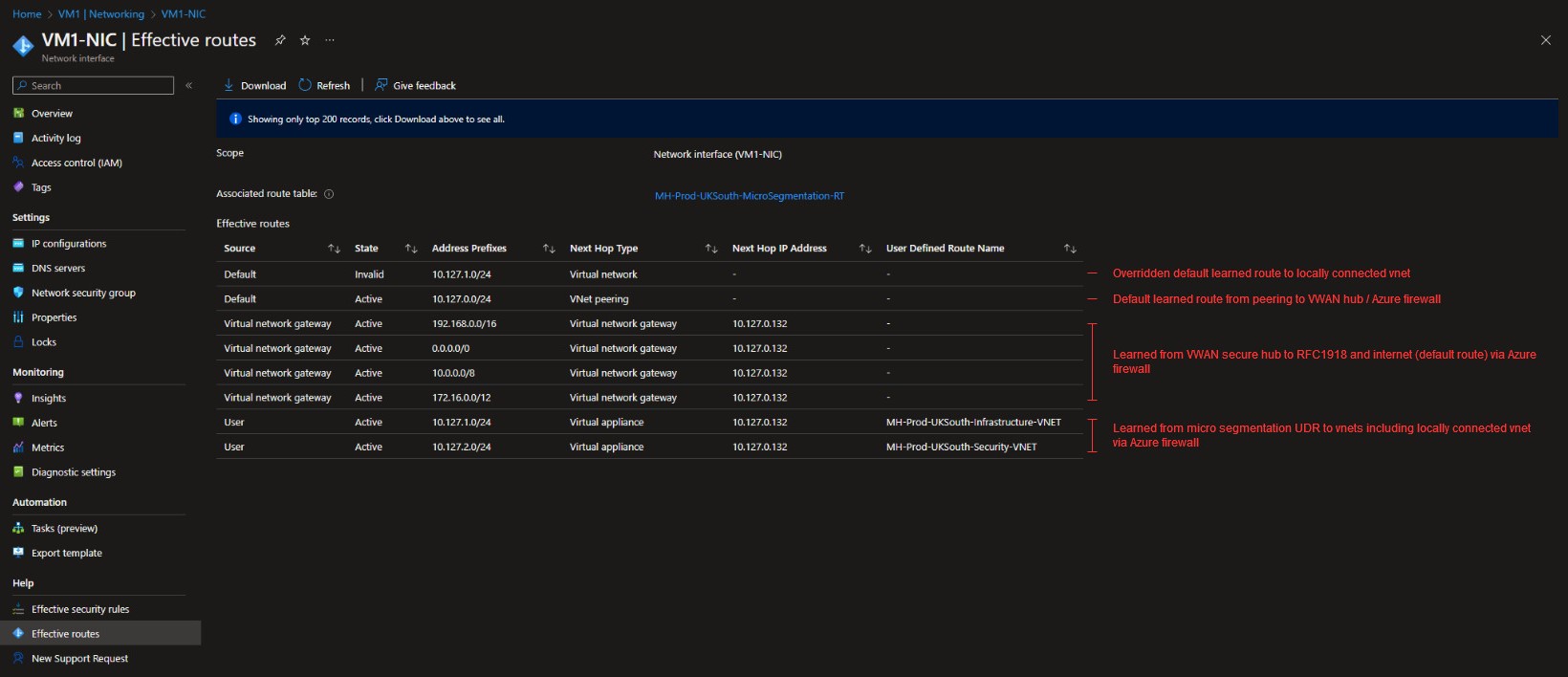
Associate the UDR with each target subnet.
Important caveat: Do not apply UDRs to subnets containing managed services (SQL Managed Instance, App Service Environment, Azure Kubernetes Service, etc.). These services inject their own system routes, and an overlapping UDR will disrupt connectivity. Check the documentation for each managed service before applying UDRs.
Step 3: Private Endpoint Configuration
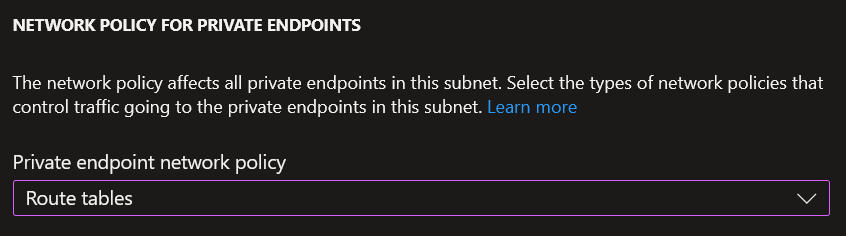
Private endpoints do not honour UDRs by default. To force private endpoint traffic through the firewall, enable "Route tables" under the subnet's network policy for private endpoints:
az network vnet subnet update \
  --resource-group <rg> \
  --vnet-name <vnet> \
  --name <subnet> \
  --private-endpoint-network-policies Enabled
This ensures private endpoint traffic is subject to the same routing rules as everything else.
Step 4: Avoid Asymmetric Routing
When you only want to micro segment specific subnets within a VNet (rather than the entire VNet), route individual subnet prefixes in the UDR rather than the whole VNet address space.
If you route the full VNet range, you create asymmetric routing for subnets that don't have the UDR applied — outbound traffic leaves via the firewall, but return traffic bypasses it through the direct VNet route.
End State
With all steps in place:
- All traffic between subnets (even within the same VNet) transits the Azure Firewall
- IDPS operates on the full traffic set
- Private endpoint traffic is also inspected
- The only exceptions are subnets explicitly excluded due to managed service constraints
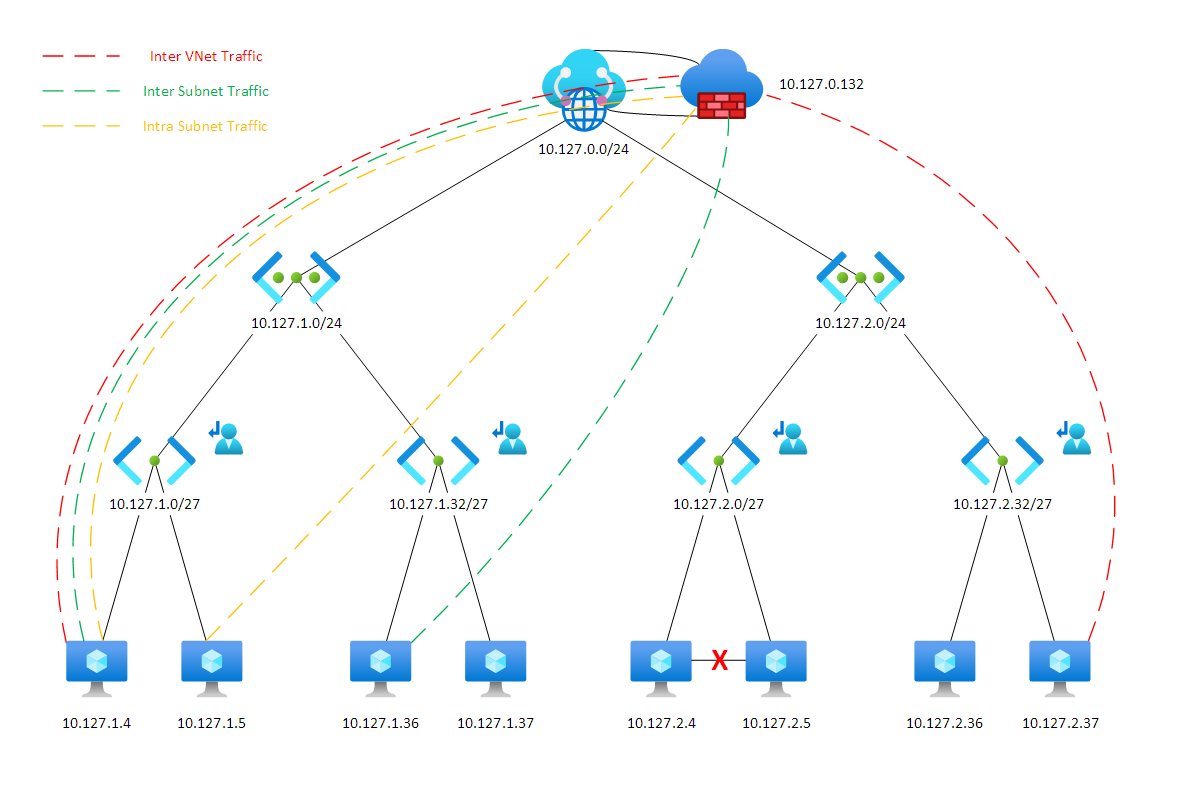
This creates a fully audited network where firewall logs capture every flow, making investigation of any incident significantly easier.
See also: Azure App Gateways In A Secured Hub VNet — dealing with asymmetric routing for internet-facing resources in this architecture.